One training plan. Progress everyone can see.
- Use a Note moment for the agreed cue and current practice instructions.
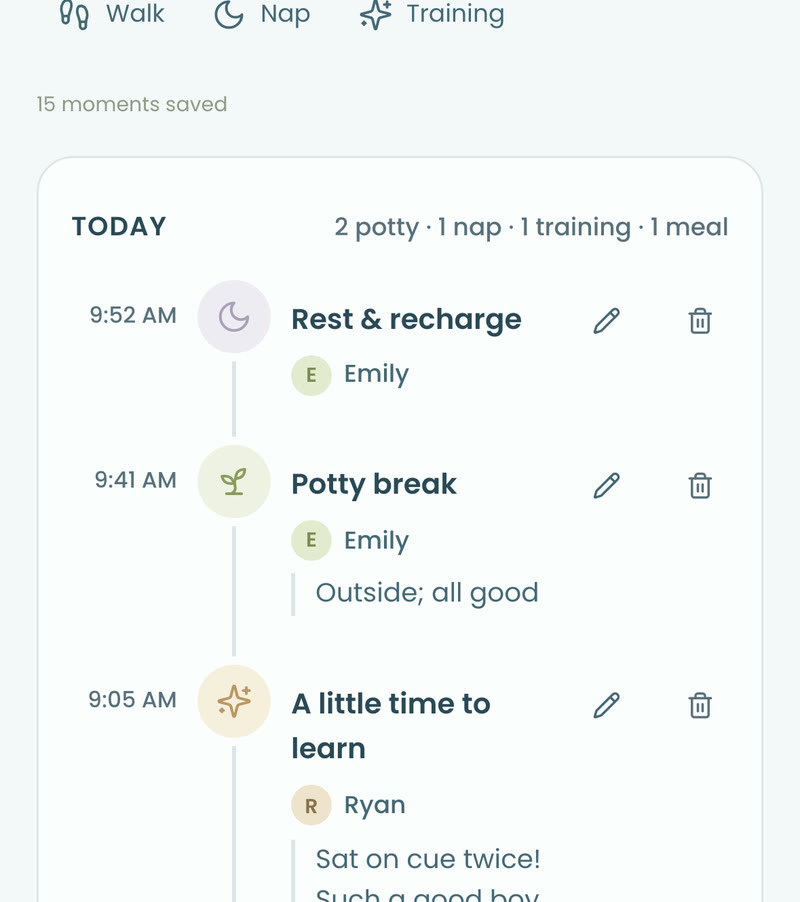
- After practice, tap Train. The app fills in the time and caregiver.
- Add useful context with Edit details and review Moments before the next session.
7-day free trial for eligible new subscribers. Subscription required.
Give the puppy a clear, shared plan
One person says “down” for lying down. Another uses it when the puppy jumps up. Both are trying to help but asking for different things with the same word.
An owner reflection about learning cues is a useful reminder that familiar words are not automatically familiar to the puppy. Agree on the behavior, cue, gesture, and reward. The Pet Parent gives the household a place to retain that agreement and the practice that follows.
Keep cue instructions in your puppy’s space
Open Moments → Add a moment, choose Note, and use a clear title for the cue or plan. Add the concise instructions everyone needs: the behavior, cue and gesture, reward, and current practice setup.
The AKC’s guidance discusses shared cues and responses. Make sure your family understands the current instructions, especially when following a qualified trainer’s plan.
The note stays in Moments. When the plan changes, edit your own entry or add a clearly titled update, and tell the people helping.
Log practice without typing out the whole session
After practice, tap Train in Quick log. Time and caregiver are filled in. Use Edit details for something useful to the next person, such as the cue, where you practiced, and what you observed.
An illustrative detail could be: “Practiced the agreed cue in the quiet kitchen. Outdoor practice has not been tried.” That gives context without claiming the behavior is learned everywhere.
Keep the observation that helps the next caregiver continue appropriately. A long report is not required. Use Undo for an accidental tap, or edit your own saved entry in Moments.
Let the next caregiver see where to pick up
Invite family or sitters through Family → Invite someone. They join with their own account and can see the shared Moments timeline, including cue instructions and recent training entries.
Before practice, review what happened most recently. A new place, person, or distraction may change the task. Keep context visible rather than treating a completed entry as a score or proof of mastery.
Use Add to the routine for a planned training opportunity. Completing it records what happened; it does not evaluate technique or establish readiness for a harder exercise.
Use shared progress to ask a better question
VCA’s guidance explains positive reinforcement. Keep the agreed approach reward-based and seek qualified help when needed. The journal supports a plan rather than choosing a training method for your dog.
Compare the setup and cues when progress is difficult. Were people asking for the same behavior? Was someone practicing somewhere new? Agree on a clear adjustment and retain the next update in the same history.
Fear, guarding, aggression, distress, or sudden behavior changes need appropriate professional advice. Connect everyday care with the workday routine and sitter handoff so the puppy’s day stays understandable.